
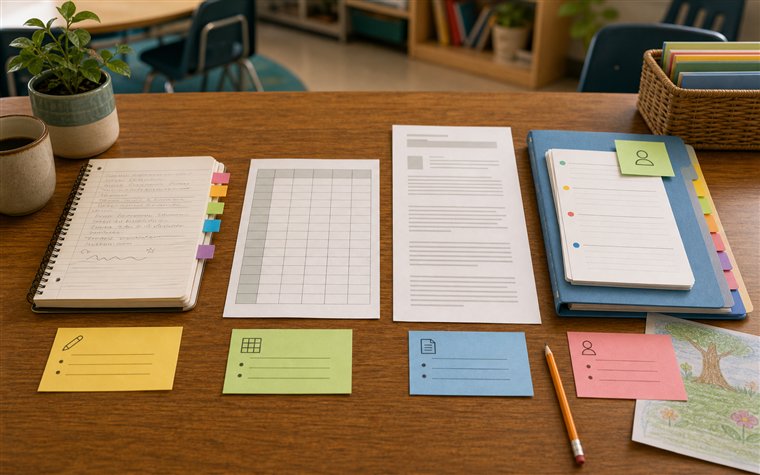
Compare the moment you need the note back
Most note systems look acceptable during capture. Paper is fast. A spreadsheet looks organized. A doc feels familiar. An app can promise structure. The harder test comes later, when you need one student's history before a report-card comment, conference, support meeting, or planning conversation.
That retrieval moment is where the tradeoffs matter.
NAEYC's practical note-taking guidance treats observation notes as useful only if they fit real teaching and can support later decisions. Head Start's objective observation guidance adds another standard: notes should preserve what was seen and heard before adults add interpretation. Any system you choose should make those two things easier.
Use four questions to compare tools:
- Can I save the note quickly enough during a school day?
- Can I keep the task and setting attached?
- Can I find one student's history without searching everywhere?
- Can I review coverage before reports or conferences?
Paper notes
Paper is the easiest system to start. A notebook, clipboard, sticky note, or class roster can capture an observation without login, setup, battery, or training. That matters during instruction. A teacher can write one useful sentence while students move to the next task.
Paper works best for:
- Very fast capture.
- Temporary observation focus lists.
- Small-group notes during a single lesson.
- Teachers who already carry a clipboard.
Paper struggles when notes need to become a student history. Notes can stay in date order rather than student order. A useful reading note may be several pages away from a conference note. Sticky notes can fall off. Abbreviations that made sense on Tuesday can become unclear by Friday.
Paper also makes coverage review harder. You can count who appears in the notebook, but it takes time. If report-card prep depends on scanning each student, paper creates more manual review work.
Paper is fine as a capture tool. If you use it, build a transfer routine: once or twice a week, move the notes that matter into a system where you can retrieve them by student.
Spreadsheets
Spreadsheets appeal to teachers because they look orderly. Rows, columns, dates, categories, and filters can make a note set feel controlled. A spreadsheet is stronger than paper for counting and sorting.
Spreadsheets work best for:
- Tracking coverage.
- Sorting by date, subject, or student.
- Counting categories.
- Seeing missing entries.
They are weaker when the note needs classroom context. Long notes become awkward cells. Student histories can be fragmented across filters. A spreadsheet may show that a student has three writing notes, but the teacher still has to open and read rows to understand the pattern.
The What Works Clearinghouse practice guide on data use emphasizes using evidence to answer instructional questions and choose next steps. A spreadsheet can help with the evidence count, but it may not support the story around the evidence unless the teacher maintains it carefully.
If you already use a spreadsheet, keep columns few:
- Date.
- Student.
- Context.
- Observation.
- Next step.
More columns can make the system look better while making capture slower.
Docs and running records
Docs are comfortable writing spaces. A teacher can type freely, paste examples, add headings, and keep a running record for a class or student. Docs are less rigid than spreadsheets and often better for narrative detail.
Docs work best for:
- Longer conference notes.
- Reflection after a lesson.
- A running record for one student.
- Copy that may later become a report comment.
They struggle when many students share one long file. Search can help, but search depends on consistent names and headings. If a teacher writes "Jayden," "J," and "reading group" on different days, retrieval becomes inconsistent. Docs can also hide coverage gaps because the page keeps growing even if only a few students appear.
Reading Rockets describes informal classroom assessment as evidence used to understand student strengths and needs. A doc can hold that evidence, but it does not automatically keep the evidence easy to review across a class.
Docs are strongest when the scope is narrow. Use them for a single student plan, a conference summary, or a formal reflection. They become harder to manage as the main everyday capture system for a whole class.
App-based student history
Dodl Notes is built around the retrieval problem. The quick note flow supports capture, but the value appears later when the note is connected to class and student history. Notes Explorer helps reopen a student thread before reports, conferences, or follow-up. The dashboard helps notice thin coverage before the deadline is close.
This workflow works best for:
- Quick classroom notes that need to be found later.
- Student histories that should stay readable.
- Report-card and conference preparation.
- Teachers who want a small weekly review loop.
It is not meant to replace every school system. If your school requires a formal platform, use it. The app sits closer to the teacher's day-to-day evidence trail: the small moments you need to capture before they disappear and reopen when the formal writing starts.
The tradeoff is setup discipline. You still need to add classes and students, save notes with enough context, and review the history. A tool cannot make a vague note specific. It can make a specific note easier to recover.
Choose by workflow, not preference
The best system depends on the job.
Use paper if the note is temporary and you will transfer it soon. Use a spreadsheet if coverage counts are the main need. Use a doc if the record is longer and centered on one student or meeting. Use an app-based student history if the core need is quick capture plus later retrieval by class and student.
One more test is worth adding before choosing a system: what happens when a note is incomplete? Paper usually requires rewriting or recopying. Spreadsheets can add a column, but the row may become crowded. Docs let you add reflection, but the added detail can disappear inside a long page. An app workflow should make revision easier by keeping the original note near later context. If Friday review shows that a note lacks the task or support, add a follow-up note while the classroom memory is still close.
Also consider handoff. A report-card comment, parent conference, or support meeting often requires a concise example rather than the whole notebook. The best system helps you move from evidence to explanation without losing the original classroom moment. That is where retrieval, student history, and coverage review matter more than the tool's setup screen.
A practical teacher note system should protect three things:
- Specific classroom context.
- Student-level retrieval.
- Review before decisions are due.
If a tool does not help with those, it may still be useful, but it should not be the main evidence system.
When a simple tool is still enough
The comparison should not pretend every teacher needs the same tool. Paper may be enough for a short placement, a temporary focus group, or a single checklist that will not need to become a student history. A spreadsheet may be enough for coverage tracking if the teacher does not need narrative examples. A shared document may be enough for a team meeting agenda.
The decision changes when the notes need to be reopened by student, searched before reports, connected to classroom examples, or kept across several weeks. That is the point where the tool should support retrieval, not just storage. A teacher note system earns its place when it helps the teacher find the right evidence at the moment it is needed.