Getting started
Before you install
What is Dodl Notes?
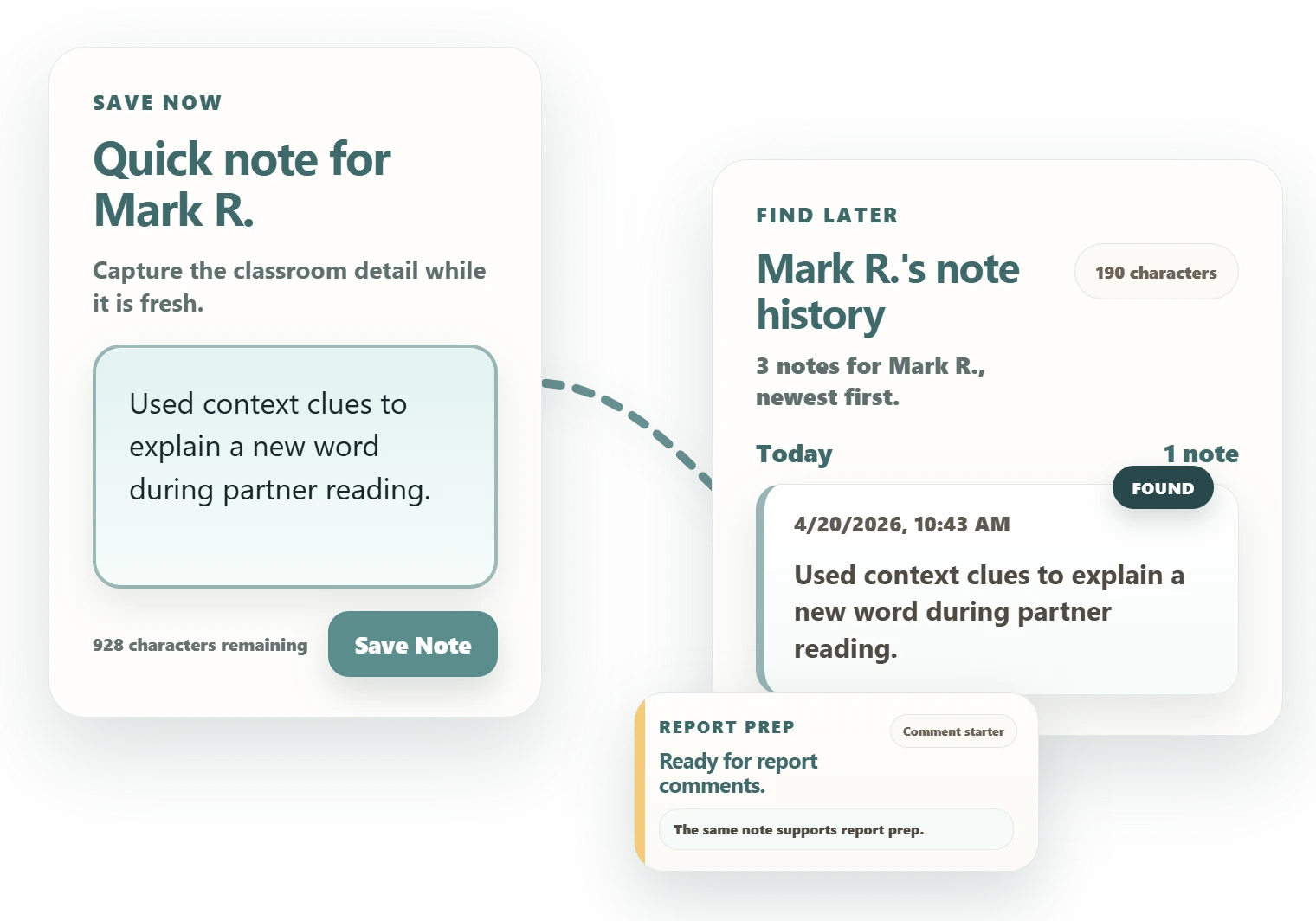
Dodl Notes is a Chrome extension that gives teachers a simple system for anecdotal notes. It helps you save student observations, organize them by class and student, and find the right examples later.
Is Dodl Notes free?
Yes. The core workflow is free: quick notes, class and student organization, note history, coverage review, locking, recovery, and privacy controls.
What does Dodl Pro add?
Dodl Pro adds optional AI insights and report drafting from your saved notes. It is US$12.99 every 3 months and starts with a 14-day free trial, billed securely through Stripe, and you can cancel anytime. Everything else in Dodl Notes stays free, and core note-taking never requires AI.
What should I try first?
Start small. Add one class, add one student, save one real observation, and reopen it before the end of the week. That is the fastest way to know whether the workflow helps.
Do I need a Google account?
No. Core note-taking uses a Dodl Notes email-and-password account. Google access is only needed if you choose to use optional Google Docs export.
Classroom use
Using it during the week
What kinds of notes should I save?
Save moments you may need later: a reading conference note, a math strategy, a pattern you notice, a support that helped, or a specific example for report cards and family conferences.
Can I use initials or numbers instead of student names?
Yes. You can use names, initials, numbers, or local identifiers according to your school, board, district, or organization's expectations. Always follow your local privacy rules.
Can I use Dodl Notes without AI?
Yes. AI-supported workflows are optional. You can capture notes, review student history, use dashboard coverage tools, lock the workspace, and manage recovery without using AI features.
Reports and conferences
Finding evidence later
How does Dodl Notes help with report cards?
It keeps observations grouped by class and student, so you are not rebuilding a student's history from memory when report writing starts.
How does it help with family conferences?
You can reopen notes for one student before the meeting and bring clearer examples, patterns, and follow-up points into the conversation.
Does Dodl Notes write reports for me?
Pro can draft them. Using the notes you've already saved, Dodl Pro generates report-comment drafts, so you start from your own classroom evidence instead of a blank page. The free core never generates text. A draft is a starting point, not a finished comment: you review it, edit it, and stay responsible for the final wording and your school's expectations.
Privacy and school devices
Trust and setup questions
Can the developer read my notes?
No. Dodl Notes encrypts note content in the browser before storage or sync. The developer cannot read decrypted notes.
Does Dodl Notes self-certify FERPA?
FERPA compliance is a determination your school or district makes, so Dodl Notes does not self-certify it. Instead, we publish the full picture a school needs to decide for itself: what data is handled, how notes are encrypted so we cannot read them, where data is stored, our sub-processors, how the optional AI features de-identify text, and how to delete data. See the data privacy information for schools and administrators.
Why does the Chrome Web Store list several data categories?
Chrome Web Store data categories are broad. Dodl Notes may process account email, limited billing metadata for Pro, support messages you send, product activity needed for reliability, and note content that is encrypted before storage or sync. Review the Privacy Policy, the security overview, and the Chrome Web Store listing for current details.
Does Dodl Notes work on school-managed Chromebooks?
It can, but school-managed Chrome devices may block new extensions, and installation may require IT approval. Dodl Notes cannot bypass that restriction. If installation is blocked, use a Chrome profile or device where extensions are allowed, if your school or local rules permit it.
Extension ID: hledhpejabgcnekojpbpiahchojnihch
Recovery and limits
What to know long term
What happens if I forget my password or recovery key?
Encryption protects your notes, but it also makes recovery important. If you lose both password-based and recovery-based access methods, previously encrypted notes may not be recoverable.
Can I export notes?
Dodl Notes includes report and export-related workflows where available, including optional Google Docs export for supported report workflows. If your school requires a specific official export or record format, keep using the required system.
Is Dodl Notes a replacement for required school documentation?
No. Dodl Notes can support teacher note-taking and evidence review, but it is not a substitute for required school, board, district, or regulated record systems.